Snowflake Role Based Access Control
To Nha Notes | Nov. 1, 2022, 10:04 p.m.
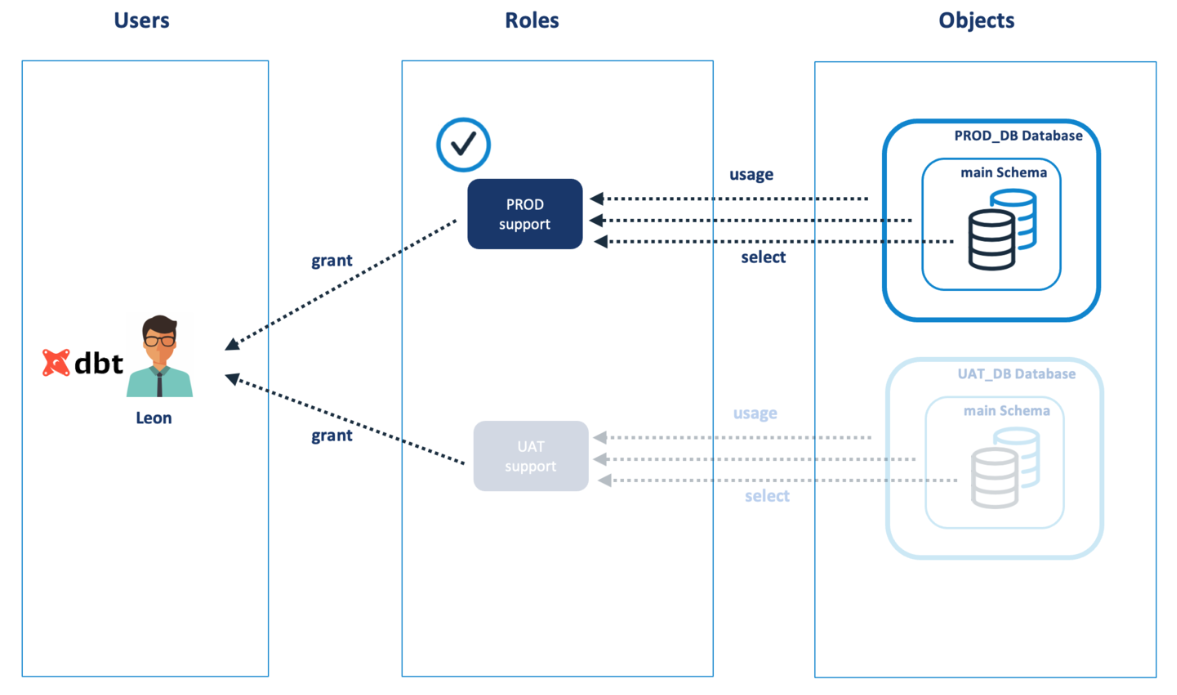
The diagram below shows the initial state whereby the user has the PROD_SUPPORT role and can therefore view tables in the PROD_DB database. Notice, that although the user has been assigned both PROD and UAT access, they only have access to the CURRENT role.
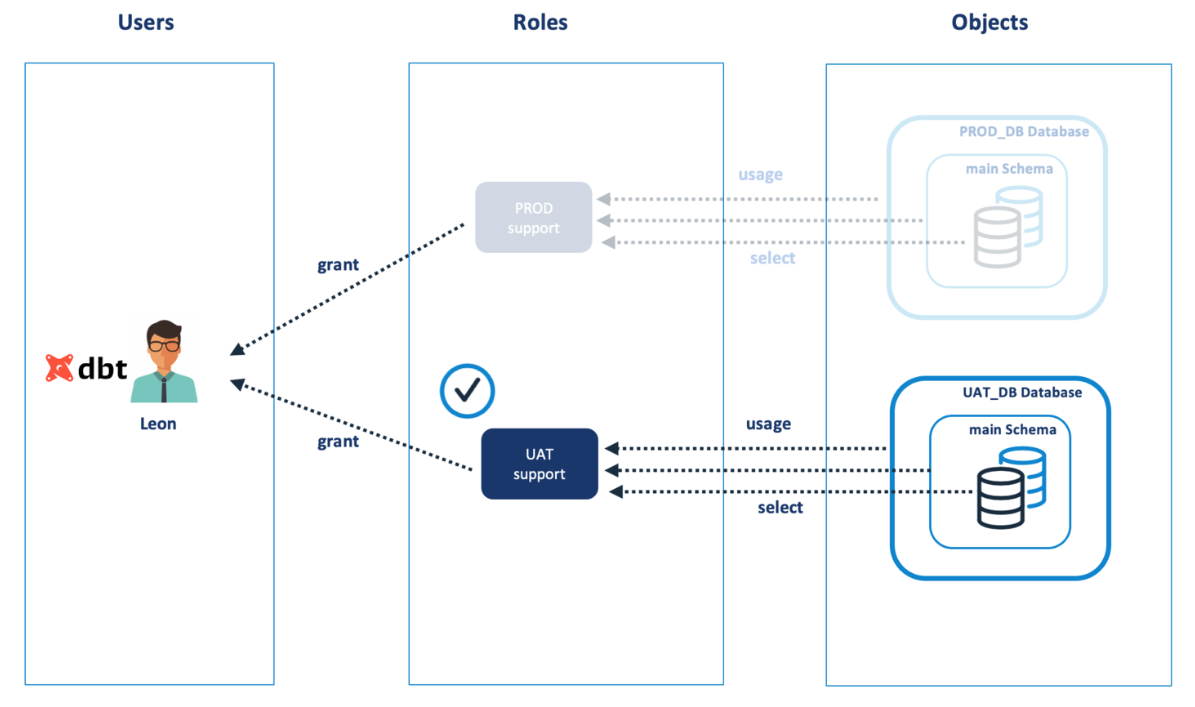
The diagram below illustrates what happens when the user switches to the UAT_SUPPORT_ROLE and they no longer have access to PROD_SUPPORT.
The SQL script below can be used to set the default values for a user including the role, warehouse and schema.
alter user jryan set
    default_role      = UAT_SUPPORT
    default_warehouse = UAT_ADHOC
    default_namespace = UAT_DB.MAIN;
Of course, if only one role is active at a time, this leads to a question, how do you provide access to multiple schemas or databases at the same time? The answer is to make use of role inheritance.
Snowflake Role Inheritance

Using this method, the user can access both databases at the same time as the PLATFORM_SUPPORT role inherits all of the underlying access and means the user could copy data from the PROD_DB to the UAT_DB databases.
The SQL needed to grant access from one role to another is shown below.
grant role PROD_SUPPORT to role PLATFORM_SUPPORT;
grant role UAT_SUPPORT  to role PLATFORM_SUPPORT;
References
https://www.analytics.today/blog/introducing-snowflake-rbac
https://www.analytics.today/blog/snowflake-system-defined-roles-best-practice
https://www.analytics.today/blog/designing-snowflake-role-based-access-solutions
Chapter 5 of the book Building the Snowflake Data Cloud: Monetizing and Democratizing Your Data