Elastic Beanstalk saved configurations
To Nha Notes | Sept. 27, 2024, noon
You can save your environment's configuration as an object in Amazon Simple Storage Service (Amazon S3) that can be applied to other environments during environment creation, or applied to a running environment. Saved configurations are YAML formatted templates that define an environment's platform version, tier, configuration option settings, and tags.
To save an environment's configuration
-
Open the Elastic Beanstalk console, and in the Regions list, select your AWS Region.
-
In the navigation pane, choose Environments, and then choose the name of your environment from the list.
Note
If you have many environments, use the search bar to filter the environment list.
-
Choose Actions, and then choose Save configuration.
-
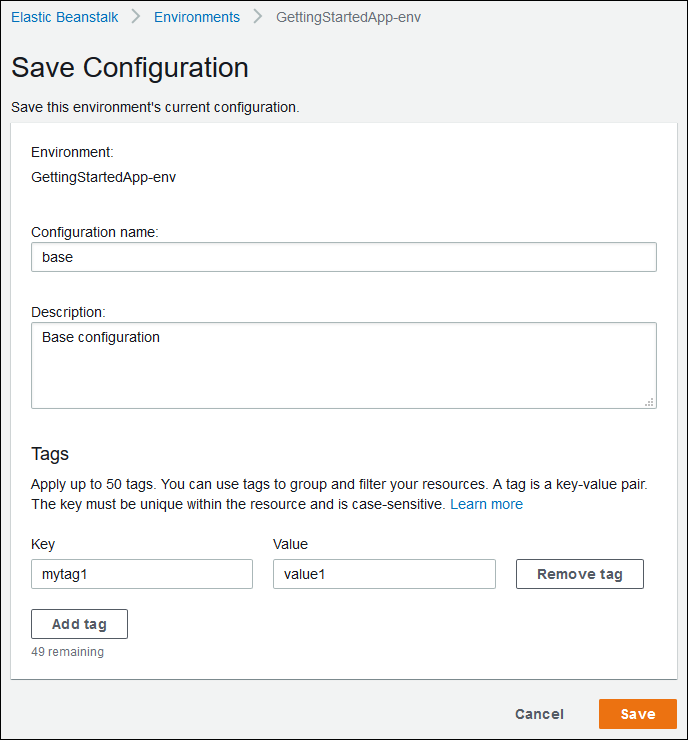
Use the on-screen form to name the saved configuration. Optionally, provide a brief description, and add tag keys and values.
-
Choose Save.
Saved configurations are stored in the Elastic Beanstalk S3 bucket in a folder named after your application. For example, configurations for an application named my-app in the us-west-2 region for account number 123456789012 can be found at s3://elasticbeanstalk-us-west-2-123456789012/resources/templates/my-app/.
References